 OYWA
OYWAEverything you need to remember where you've been.
A place exists only once. Visits add up, trips group them, the map shows them. Here's how it works.
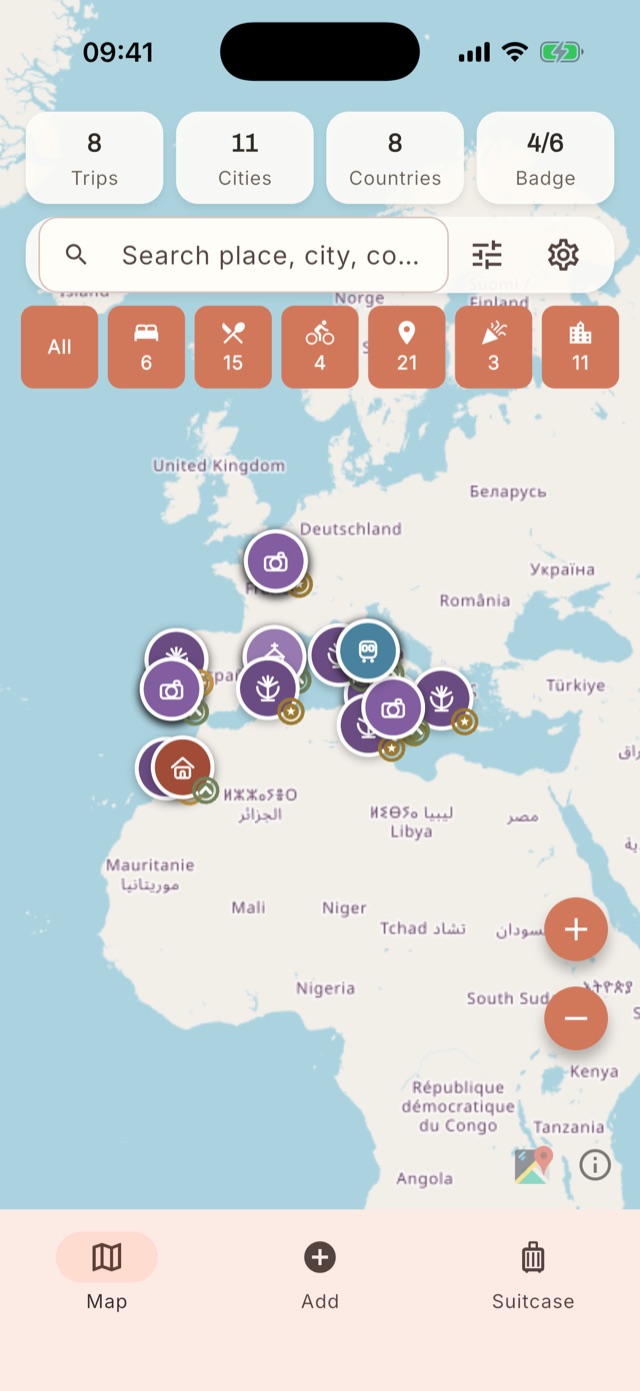
The map is your home screen.
Open the app and instantly see where you've been. At the top are the trip, city, country and badge counters; below them, the category filters with the number of places in each.
- Tap a filter to hide or show the category; long-press to show only that one.
- Each category has its own icon and colour, like on a travel poster.
- The map uses OpenStreetMap.
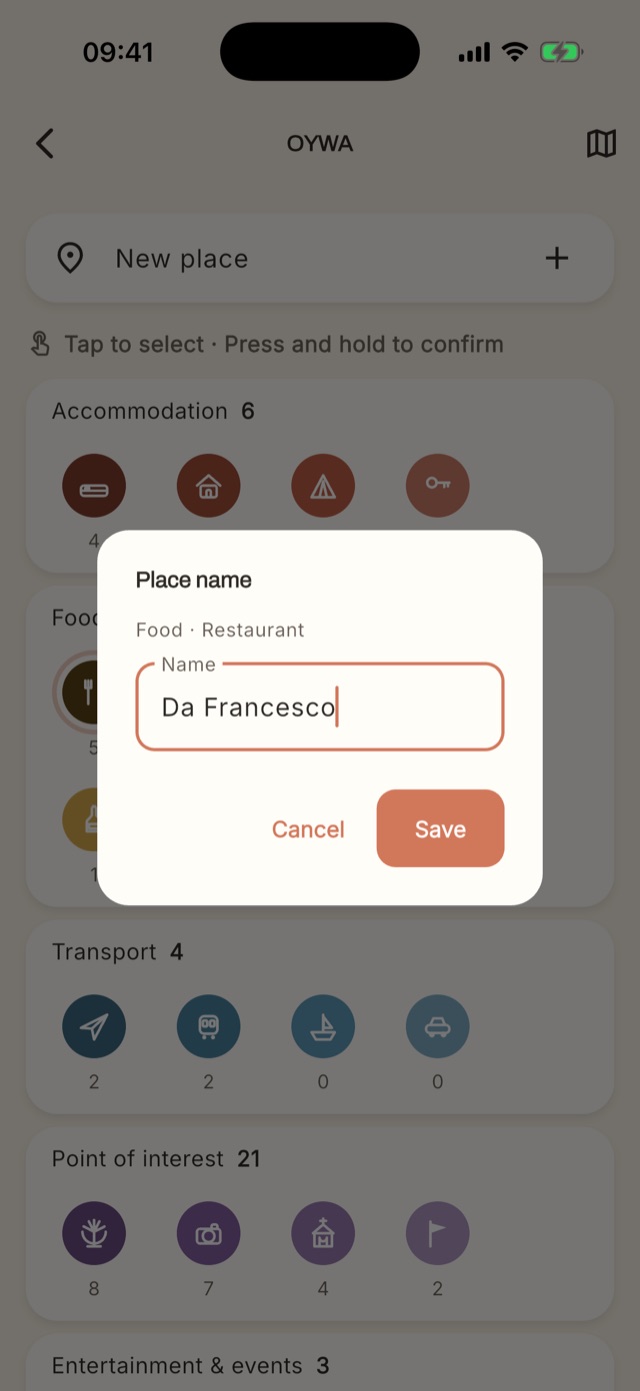
One tap, and GPS does the rest.
On the Add tab, long-press the icon for the type of place, for example Restaurant. Pick a rating and price range: OYWA gets your location from GPS, works out the city and country and adds the date and your open trip. You just type the name, and the place is saved.
- Location, city and country filled in automatically.
- Today's date and your current trip already set.
- If you've already saved a place nearby, OYWA suggests it: you just add the visit, no duplicates.
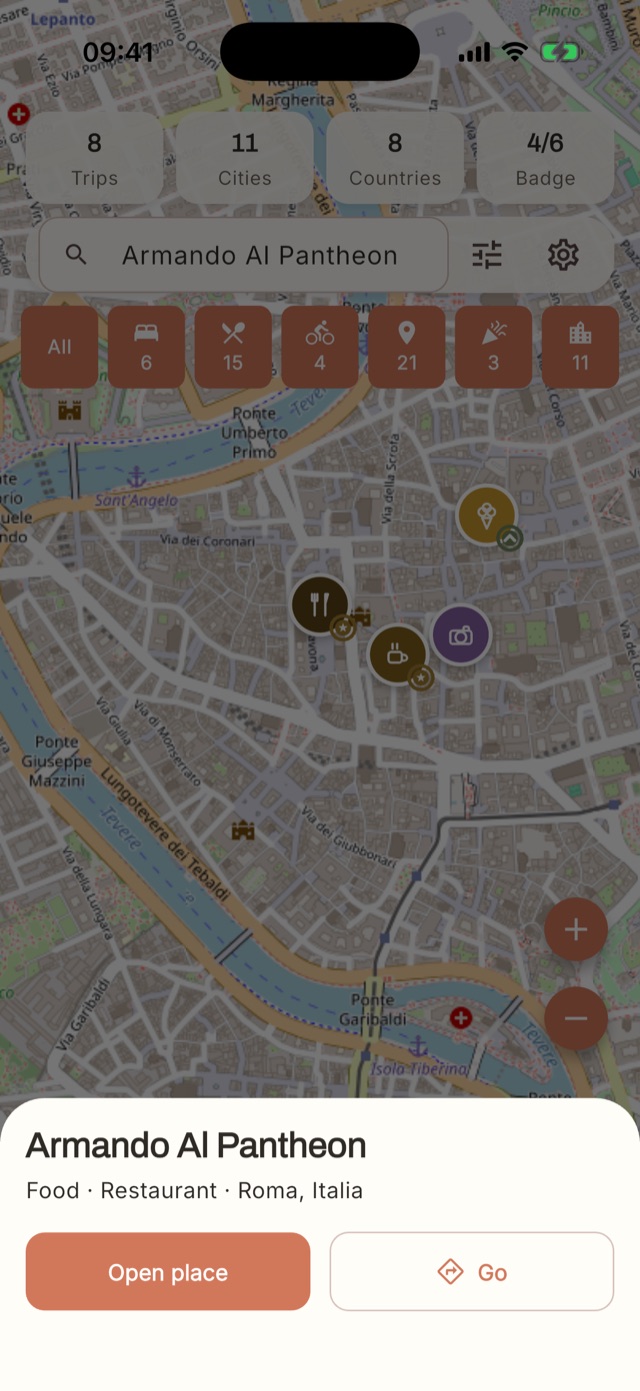
Tap a place, find it instantly.
Search for a place by name and the map takes you there. The quick card shows category, type and city, with two actions: open the place to see its visits, or get there.
- “Go” opens the place in Apple Maps, Google Maps or Waze.
- The app can remember your choice.
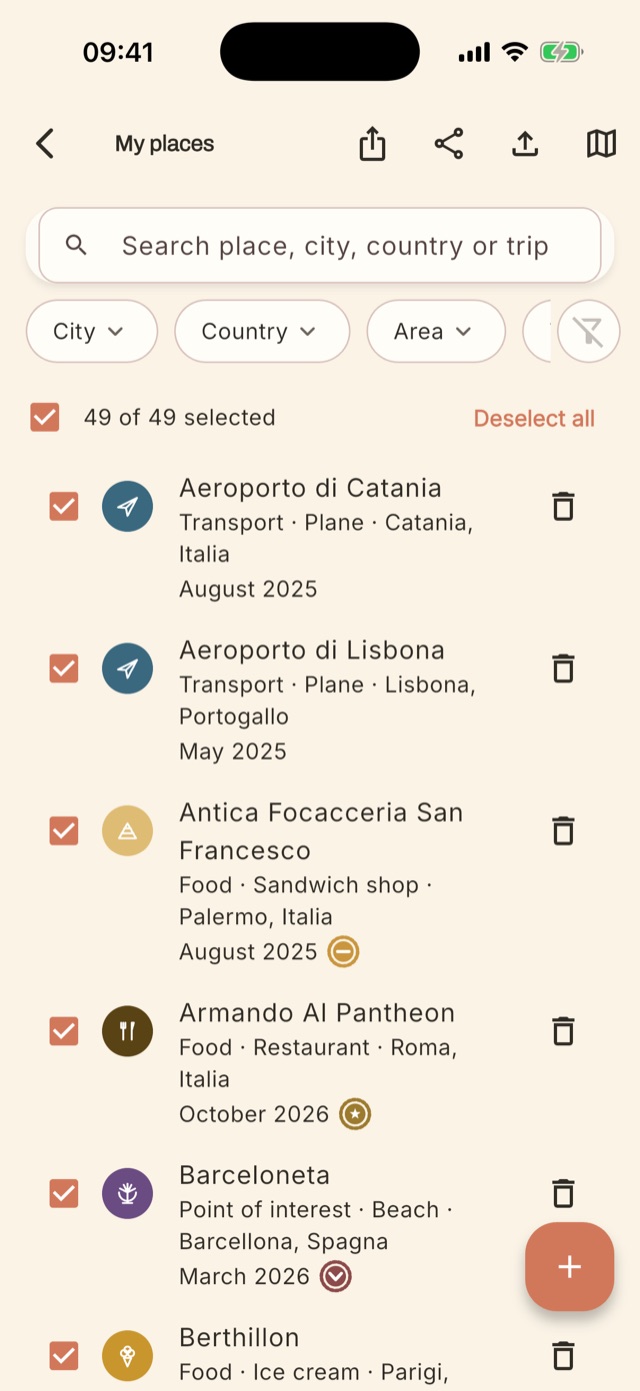
Your archive, in order.
All your places in one list, with category icon, city, country, date of the last visit and rating stamp. Search by name, city, country or trip and filter by area or type.
- Select some of your places and export them to KML, Excel or PDF.
- Two-level categories: for example Food → Ice cream, Point of interest → Beach.
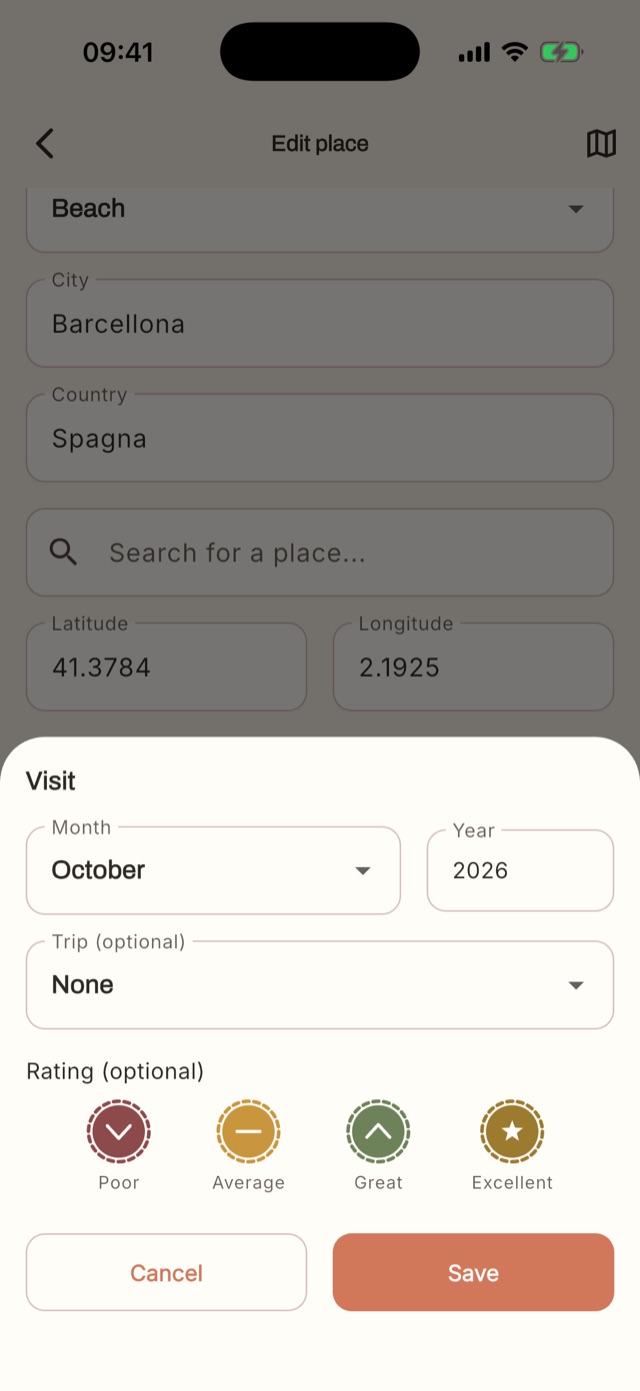
Every return is a new visit.
Back at the same restaurant two years later? You don't create a duplicate: you add a visit to the place that already exists. Each visit has a month, year, notes and, where it makes sense, a rating.
- Stamp rating: Poor, Average, Great, Excellent.
- Price range for food and accommodation: Budget, Mid-range, Expensive.
- Cities, airports and monuments aren't rated: they're collected.
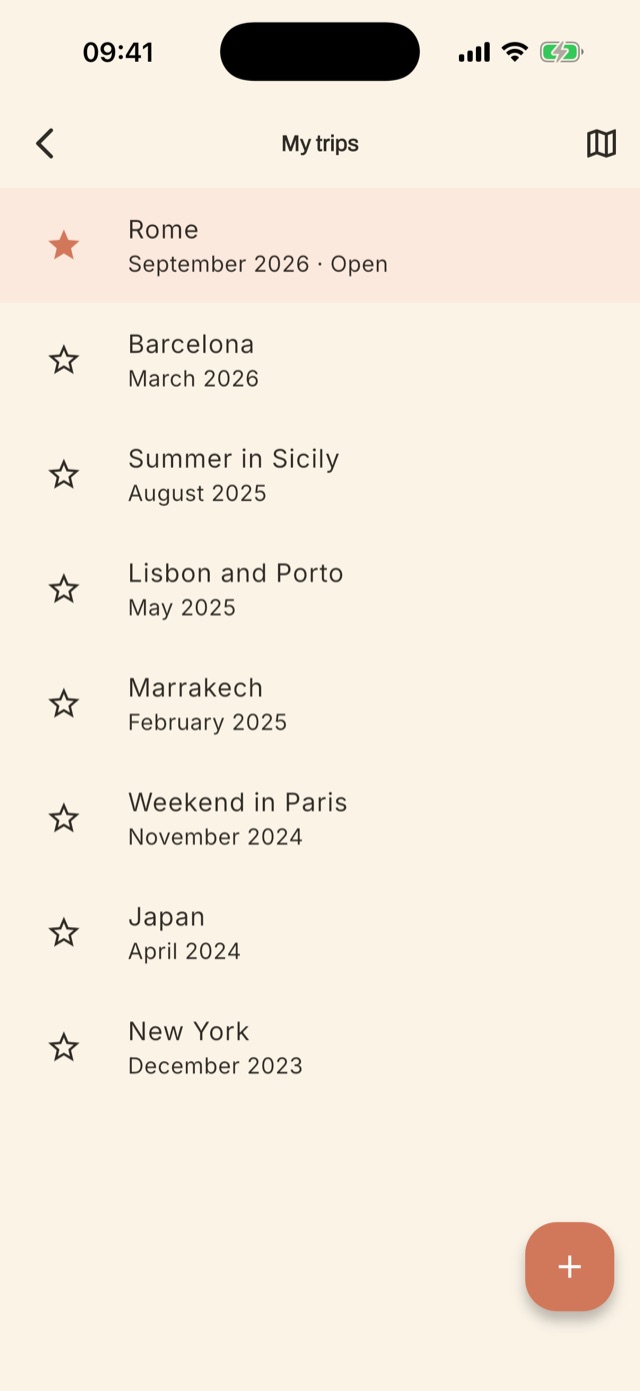
Tell the story of a whole trip.
A trip is a label with a name, month and year that groups the visits made in those days. Keep your current trip open: new visits are linked to it.
- Add the people you travelled with.
- An open trip is highlighted at the top of the list.
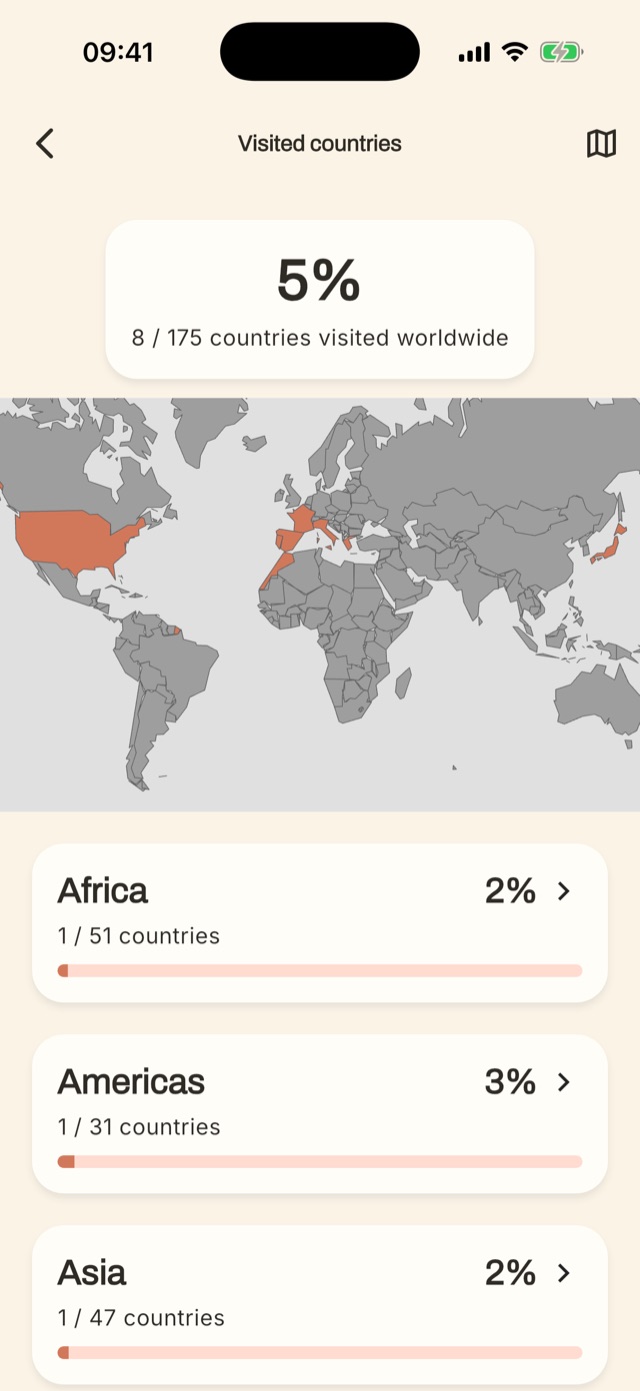
Your personal world map.
Every country where you've saved a place is coloured on the world map. You see the percentage of the world you've visited and the detail for each continent.
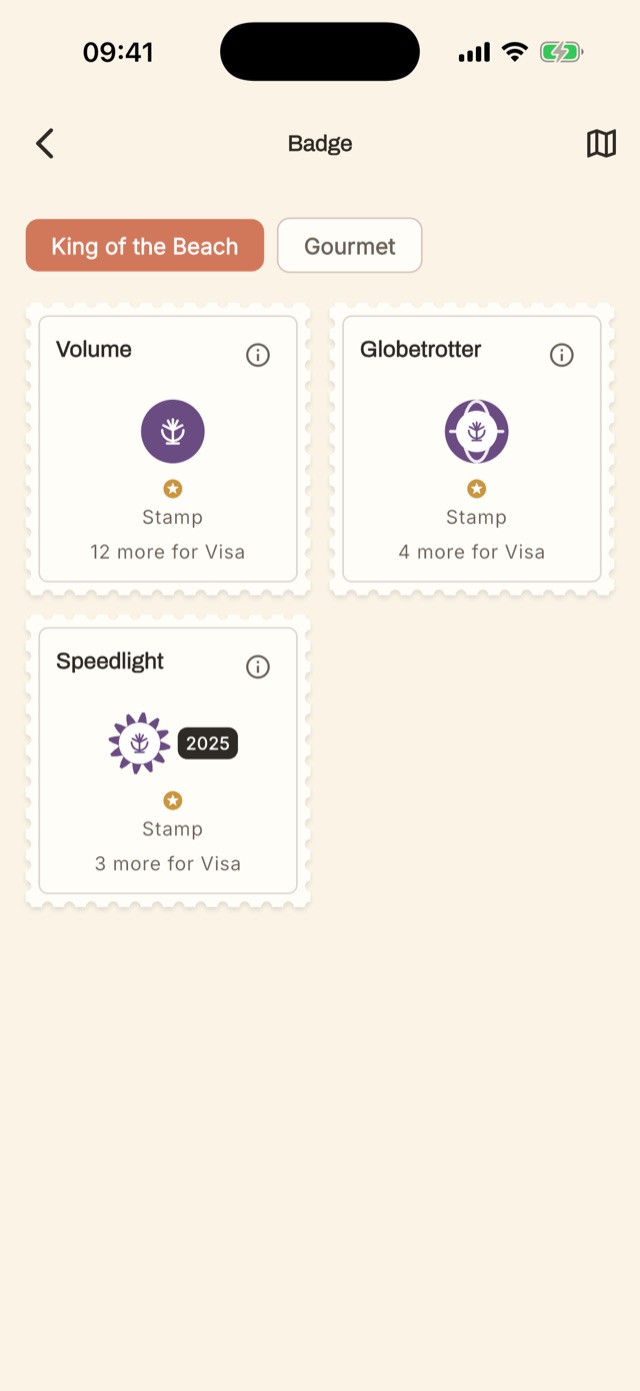
Collections to complete.
Beaches, restaurants and other categories have their own badges, with three levels to unlock: Stamp, Visa and Passport.
- Volume: how many different places you've visited.
- Globetrotter: in how many countries.
- Speedlight: how many in the same year.
The details that make the difference.
Full backup
Save everything to an .oywa file and restore it whenever you like, even on another phone.
Export to KML, Excel, PDF
Share a selection of places with a friend who's travelling, or print it for your trip.
Import from other apps
Bring in places saved elsewhere with a KML or KMZ file, and review them before saving.
People
Note who you travelled with: family, friends, colleagues. Each with their own emoji.
Delete all data
Erase your whole archive from Settings whenever you want. Your data, your rules.
Four languages
Italian, English, Spanish and Portuguese.
Like it? Be among the first to try it.
The test version for iPhone and Android is almost ready. Write to us and we'll let you know.